
Turn Any Photo into a Work of Art with AI
Ready for Generating
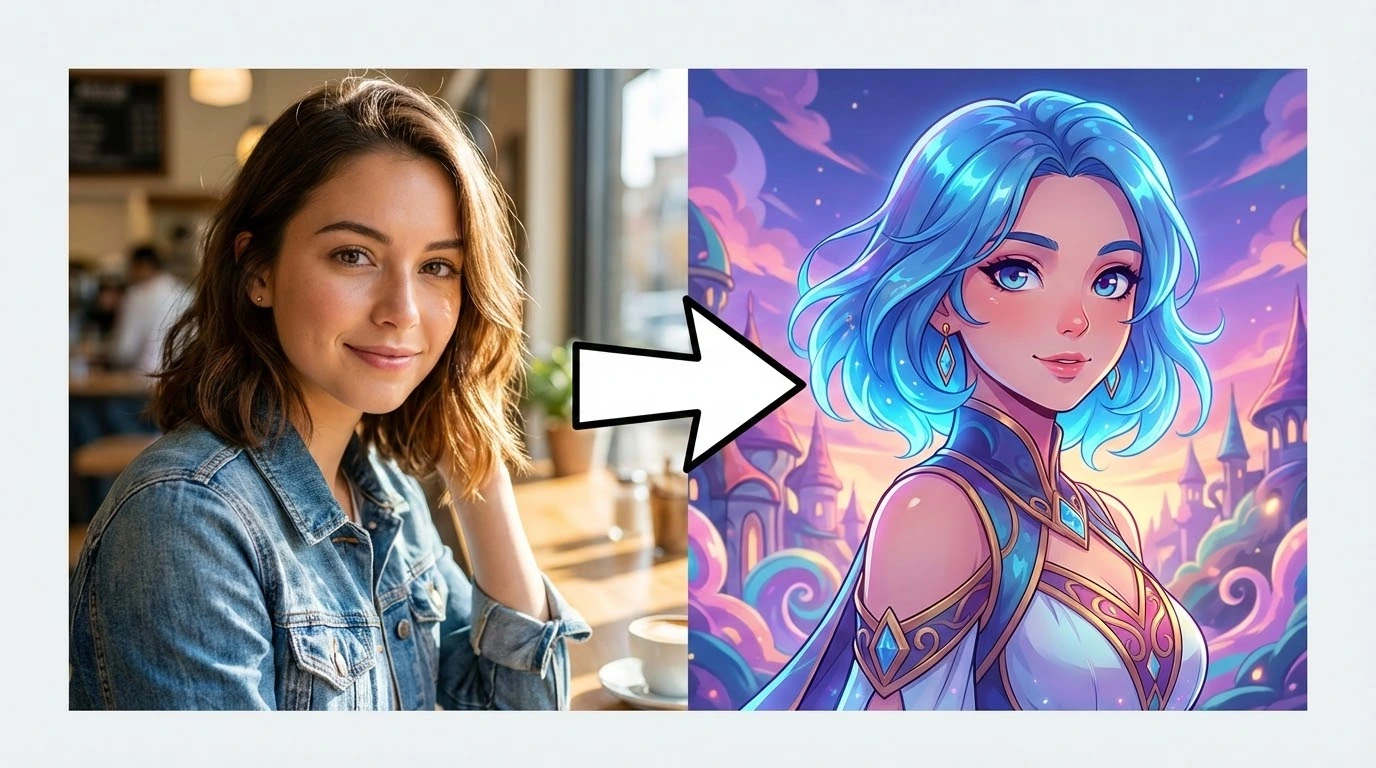
How AI Style Transfer Transforms Your Photos
The AI reads both the content of your photo and the visual language of the target style, then merges them into a single cohesive image that looks genuinely hand-crafted.
Scene and Structure Analysis
Before applying any style, the AI maps the photo's structure — identifying subjects, depth layers, edges, and background regions. This spatial understanding ensures the artistic treatment follows the natural contours of the scene rather than flattening everything into a uniform texture.
Neural Style Rendering
The style engine extracts the visual characteristics of the chosen art form — brushstroke weight, color palette, texture grain, and line quality — and renders them onto your photo. The result captures the feel of the style rather than just overlaying a filter.
Subject and Face Protection
Faces, text, and key subjects receive special handling during the style pass. The AI applies artistic effects more conservatively in these regions so portraits stay recognizable and important details remain legible after the transformation.
What Makes This Style Transfer Tool Stand Out
From the range of available styles to the quality of the output, here is what sets this tool apart from basic filter apps.
Wide Range of Art Styles
Choose from oil painting, watercolor, pencil sketch, anime, pop art, cyberpunk, impressionism, pointillism, and more. Each style is trained to produce authentic results that reflect the actual visual language of that art form — not just a color tint.
Results in Seconds
The entire style transfer process completes in seconds. There are no queues to wait in and no batch jobs to schedule — upload your photo, pick a style, and the transformed image is ready to download immediately.
Print-Ready Output Quality
Styled images are generated at high resolution, making them suitable for printing as wall art, using in design projects, or posting on social media without visible quality loss.
Portrait-Aware Processing
The AI detects faces automatically and applies the style transformation with extra care around facial features. Portraits come out looking artistic without losing the likeness of the person in the photo.
Zero Learning Curve
There are no sliders to calibrate, no layers to manage, and no technical settings to configure. Describe the look you want in the prompt and the AI interprets it — making professional-looking art accessible to anyone.
Consistent Style Across Multiple Photos
Apply the same artistic treatment to a series of images and get visually consistent results across the set. Useful for building themed social media feeds, cohesive portfolios, or branded creative collections.
How to Apply AI Style Transfer in 3 Steps
The process takes under a minute from upload to download.

Upload Your Photo
Select the image you want to transform. JPG, PNG, and WEBP formats are all supported. Clear, well-lit photos with good contrast tend to produce the most striking artistic results.

Describe the Art Style
Enter a style prompt — for example, 'oil painting in the style of Van Gogh', 'soft watercolor illustration', or 'black and white pencil sketch'. The more specific your description, the closer the output matches your vision.

Download Your Artwork
Review the styled image and download it at full resolution. Use it as wall art, a profile picture, a social media post, or anywhere else you want a distinctive artistic look.
How Creators Are Using AI Style Transfer
From photographers to brand designers, here is what people are making with this tool.
I use this to quickly prototype different visual directions for client mood boards. The oil painting and impressionist styles are especially convincing — clients often ask if I painted them by hand.
Lena V., Digital Illustrator
Lena V.
Digital Illustrator
We started converting product shots into anime-style illustrations for our brand's Instagram. Engagement went up noticeably. The consistency across images makes the feed look intentional and polished.
Theo B., Social Media Strategist
Theo B.
Social Media Strategist
Turning landscape photos into watercolor paintings has become my signature edit. The AI keeps the geography recognizable while adding a painterly softness that prints beautifully on canvas.
Camille D., Travel Photographer
Camille D.
Travel Photographer
I use the cyberpunk and sketch styles to rough out environment concepts from reference photos. It cuts my ideation time significantly and gives me a solid visual base to refine from.
Ravi N., Game Concept Artist
Ravi N.
Game Concept Artist
The face-aware processing is what sold me. I've tried other style tools that completely distort facial features, but this one keeps the likeness intact. My clients love the painted portrait versions.
Ingrid H., Portrait Photographer
Ingrid H.
Portrait Photographer
I needed a consistent artistic look across 40 product images for a campaign. Running them all through the same style prompt gave me a uniform aesthetic in minutes — something that would have taken days manually.
Omar S., Graphic Designer
Omar S.
Graphic Designer
Frequently Asked Questions About AI Style Transfer
Turn Your Photos into Art — Free to Try
Upload any photo and apply an artistic style in seconds. No account required for your first transformation.