
AI Image Upscaler
Ready for Generating
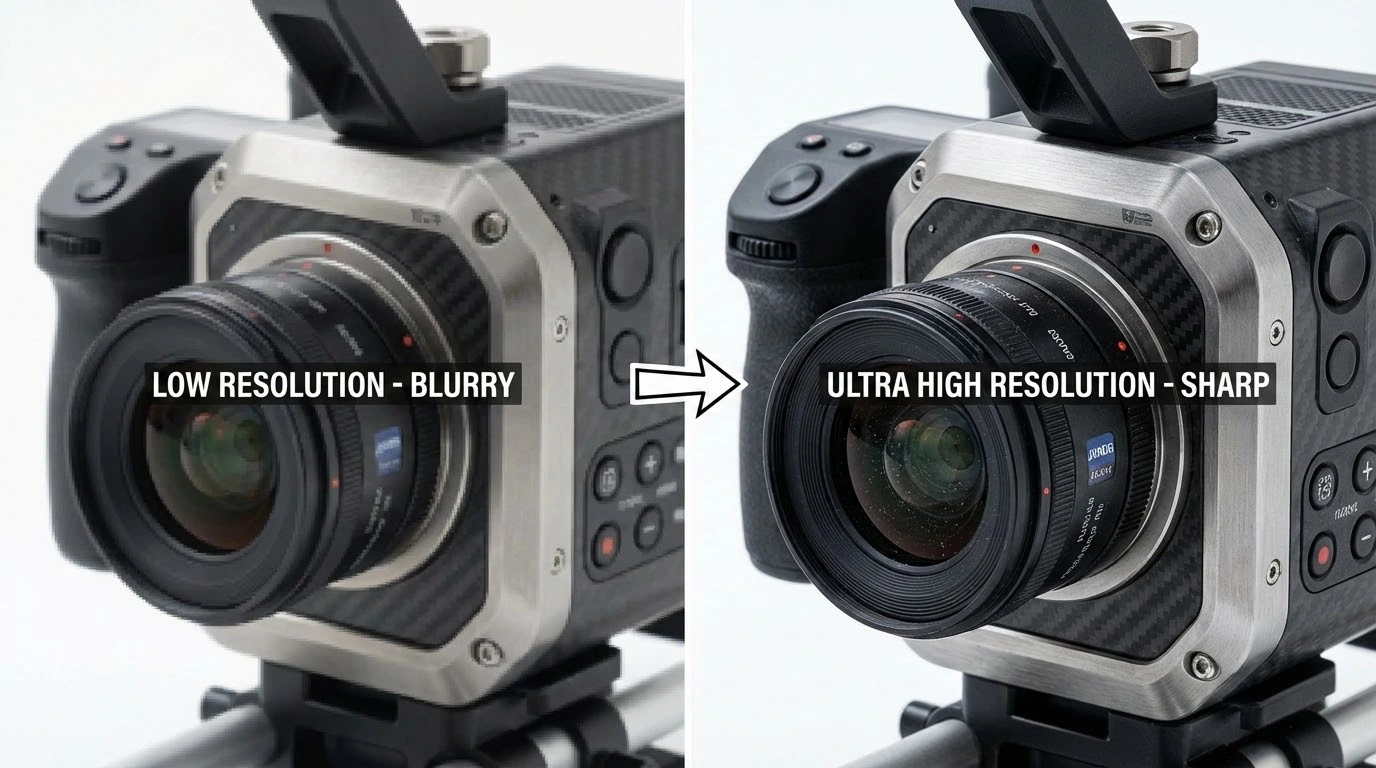
Inside the AI Image Upscaler
Reading the source, generating new pixels, and protecting the original character all happen in a single inference pass — the AI Image Upscaler treats upscaling as a reconstruction problem, not a resize.
Reads the Source Before It Resizes
The AI Image Upscaler first inspects the image — edge directions, surface textures, repeating patterns, the contour of subjects, the noise floor of the original camera. That read tells the model where to invent extra detail and where to leave the existing pixels alone, so the enlarged file feels like a natural higher-resolution exposure.
Reconstructs Detail Instead of Stretching It
Where bicubic and bilinear interpolation just smear neighboring pixels, the AI Image Upscaler synthesizes new texture from learned image priors. Hair holds individual strands, foliage stays granular, fabric weave reads at full magnification, and faces gain back the micro-contrast that low-res sources usually lose.
Cleans Up Without Plastic-Looking Artefacts
Sharpening is paired with artefact suppression, so JPEG blocking, compression halos, and sensor noise get reduced as the resolution climbs. The AI Image Upscaler aims for a believable enlargement rather than an over-processed look — fine grain stays where the original had it, smooth surfaces stay smooth.
Why Reach for This AI Image Upscaler
Built specifically for high-quality enlargement, the AI Image Upscaler keeps the photographic feel while shipping a much larger file.
Up to 4× the Original Resolution
Push a 1000×1000 source to 4000×4000 in one pass. The AI Image Upscaler is tuned for enlargements at 2×, 3×, and 4× scale factors, so prints, retina hero sections, OOH formats, and high-DPI displays all have a path forward — no extra software, no third-party plug-in.
Sharpness Without the Stretched Look
Traditional upscalers blur softly or fake sharpness with a halo. The AI Image Upscaler resolves edges with continuity and reconstructs surface texture, so the enlargement reads as a higher-resolution photograph rather than an oversampled pixel grid.
Quick Turnaround on Real Hardware
Most jobs finish in five to fifteen seconds even at 4×. Dedicated GPU capacity behind the AI Image Upscaler keeps things responsive whether you upload a single hero shot or queue up a batch of supplier photos.
Tuned for Every Subject Type
Portraits, product stills, landscapes, brand artwork, anime cels, and UI screenshots all flow through the same pipeline. The AI Image Upscaler adjusts its emphasis — skin, foliage, hard typography, painted textures — based on what it actually sees in the file.
Bulk Upscale in One Sitting
Drop a folder of photos in and let them flow through back-to-back. The AI Image Upscaler treats every file as its own job, so a catalog refresh, a museum scan archive, or a season's worth of press shots can all get processed in one session.
Free Daily Credits
Try the AI Image Upscaler without setting up an account first. Daily credits cover light usage out of the gate, and paid plans buy a higher quota plus priority lane access whenever the queue is busy.
Three Steps to a Bigger File With the AI Image Upscaler
Upload, pick the scale, and pull the enlarged image down — the whole flow fits on a single screen.
Drop in the Source Photo
Drag a file into the upload zone or pick one from your device. The AI Image Upscaler accepts JPG, PNG, and WebP files up to 10MB, and you can queue several photos for a single session.
Choose 2×, 3×, or 4×
Pick the enlargement factor you actually need. The AI Image Upscaler reconstructs detail at the chosen multiple and matches the sharpness profile of the original instead of overshooting it.
Preview and Save
Inspect the result against the original at full zoom, run another pass at a higher factor if you want, and download the enlarged file. The export keeps the source format so it slots into your existing workflow without conversion.
What Users Tell Us About the AI Image Upscaler
Notes from photographers, designers, and operators who quietly built our AI Image Upscaler into their daily routines.
I take a hand-held shot at a reception, push it through this AI Image Upscaler at 3×, and hand the file to the print lab the next morning. Detail in the lace and the candle highlights survives the enlargement — clients walk away with a metre-wide print that still feels like the moment.
Brianna Foley, Wedding Photographer
Brianna Foley
Wedding Photographer
When a client emails me a 600-pixel logo for a billboard layout, the AI Image Upscaler gets me out of the awkward call. I run it at 4× and the curves stay clean enough that the production house signs off without a redraw.
Diego Alvarez, Senior Brand Designer
Diego Alvarez
Senior Brand Designer
Half our supplier-shot product photos came in at 800 pixels wide. After running them through the AI Image Upscaler, the PDP zoom view actually shows fabric weave and product label detail — bounce rate on those pages went down within a week.
Yuki Hamada, E-commerce Operations Lead
Yuki Hamada
E-commerce Operations Lead
Older Instagram exports always felt soft on a 4K monitor. I upscale them in batches before reposting on YouTube and the difference is visible — same photo, but it actually reads as deliberate work.
Theo Schmidt, Independent Content Creator
Theo Schmidt
Independent Content Creator
We resurrect old creative assets all the time. The AI Image Upscaler turns a tiny banner asset from three years ago into a usable hero image again, which means fewer reshoots and a much faster campaign turnaround.
Reema Aboud, Performance Marketing Manager
Reema Aboud
Performance Marketing Manager
I upscale low-res character art for our merch designs. The AI Image Upscaler keeps the line work crisp without the plasticky over-smoothing other tools introduce — printers love the files and the artists never complain.
Marco Tanaka, Anime Webshop Owner
Marco Tanaka
Anime Webshop Owner
AI Image Upscaler — Common Questions
The questions we hear most often before teams bring our AI Image Upscaler into a real pipeline.
Run the AI Image Upscaler — First Job on Us
Drop in a small photo and the AI Image Upscaler ships a sharper, higher-resolution version back within seconds. No sign-up gate on your first run.